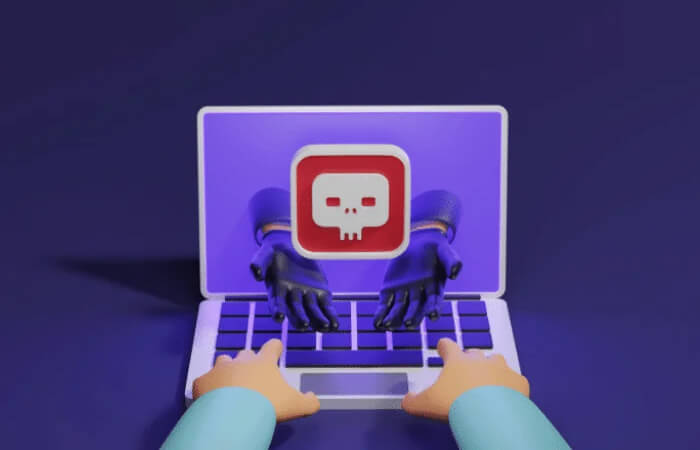

Spyware, as the name suggests, is a type of spy software that watches us and secretly collects our information.
In today's rapidly advancing technology, the digital world has settled at the center of our lives. As internet usage has become widespread, the security of our personal data has also become an important issue. One of the biggest threats we face at this point is spyware. Spyware is malicious software that secretly infiltrates our computers, smartphones, or other digital devices.
Spy software (Spyware) can infect our computers without our knowledge while we browse the internet or download certain applications. Once it enters our systems, it monitors our user activities, browsing habits, keyboard inputs, and even our personal data. This information can later be marketed without consent, fall into the hands of malicious individuals, and lead to various crimes.
How Does Spyware Work?

Spyware typically infects a system in ways the user does not notice. Common methods for this include accidentally downloaded files, untrusted websites, or spam emails. Once it enters the system, spyware uses various techniques to hide itself and operate.
Spyware uses the computer's system resources to run continuously and operates in the background. It typically starts automatically without the user's knowledge or permission and runs covertly. This means that the user is unaware of the spyware's presence.
Spyware uses various methods for monitoring and information gathering. Primarily, it tracks the user's internet browsing habits and records the websites visited. While doing so, it can collect information such as the links clicked by the user, the pages visited, and even keyboard inputs. In this way, information is obtained about the user's interests, shopping habits, or other personal preferences.
In addition to collecting personal data, spyware can sometimes be programmed to misuse the user's information. For example, it can capture financial information, usernames, and passwords, leading to identity theft, or this information can be sold to malicious individuals.
Spyware can also be used for advertising purposes. Revenue can be generated by showing personalized advertisements based on the user's browsing habits. In this case, the user may encounter annoying pop-ups, banners, or unwanted advertisements.
What Are the Types of Spyware?
- Keylogger: This type of spyware records and monitors the user's keyboard inputs. It records everything the user types, which can lead to the capture of sensitive information such as passwords, usernames, and credit card information.
- Adware: Adware is a type of spyware typically used for advertising purposes. It displays annoying advertisements during the user's internet browsing and presents personalized advertisements by tracking the user's preferences.
- Trojans:Trojans are a type of spyware in which the malicious software is hidden inside a harmless or useful application or file. While monitoring the user's information, they can also open backdoors in the system and pave the way for malicious attacks.
- Rootkits: Rootkits use advanced techniques to penetrate deeply into the computer system in order to monitor the user's activities and information. This type of spyware obtains system-level access to remain hidden, and can be difficult to detect and remove.
- Browser Hijacker: A browser hijacker changes browser settings without permission and redirects the user to unwanted websites. It can also manipulate the user's search results and monitor personal data.
- Ransomware:Ransomware encrypts the computer or files, blocks the user's access, and demands a ransom. This type of spyware can be used to capture the user's personal information or to cause financial damage to the user.
- Remote Access Trojan (RAT): A Remote Access Trojan is a type of spyware designed for remote access. After this type of spyware infiltrates your computer, it allows a malicious attacker to remotely control it. The attacker can view the user's screen, monitor keyboard inputs, steal files, and even control hardware such as the camera or microphone. RATs are typically used to violate the user's privacy and steal information by gaining unauthorized access to the target's computer.

How Does Spyware Spread?
Spyware can infect our computers or other digital devices in various ways. Attackers inject spyware into target systems by exploiting users' security vulnerabilities or by using deceptive tactics. Here is a more detailed explanation of how spyware spreads:
- Deceptive downloads: Spyware typically spreads via accidentally downloaded files or software in order to deceive users. For example, when users are downloading from a trusted website and click on a wrong link or wrong button, spyware can infect their device. Attackers deceive users by providing malicious files concealed within download buttons or advertisements.
- Email and spam: Spam emails can contain malicious attachments or links to users. When you open a malicious email or download its attachment, spyware can infect your computer. Attackers try to deceive users by sending emails that appear to be from a trusted or familiar source.
- Security vulnerabilities and exploits: Spyware can spread by exploiting security vulnerabilities in computers or software. Many people may neglect to update their software and operating systems. Attackers can target a software or operating system with a security vulnerability and use that vulnerability to inject spyware into the system.
- Drive-by Downloads: In this method, it is sufficient for the user to visit a website. A malicious website can automatically download and install spyware without the visitor's knowledge. Such attacks can be carried out by exploiting security vulnerabilities or deceptive code on the website.
- Social engineering:Social engineering tactics aim to spread spyware by gaining the user's trust. For example, by impersonating a trusted person or organization, attackers may inject spyware via deceptive links or attachments.
How Is Spyware Detected?
Spyware typically operates silently and continues to gather information without the user noticing. However, it is possible to detect the presence of spyware using the methods described below:
- Trusted Antivirus Software: Using up-to-date and good antivirus software is the most important step for spyware detection. A trusted antivirus program can detect potential threats on your computer and notify you. It is important to regularly update your antivirus software and to perform full system scans.
- Abnormal System Behavior: Spyware often affects the normal operation of the computer. If your computer is exhibiting abnormal behaviors such as unexpected slowdowns, freezes, or crashes, this may indicate that spyware has infected your system.
- Unwanted Pop-up Advertisements: Spyware typically changes your browser's settings, which can cause unwanted advertisements, pop-ups, or redirects to appear continuously. Such advertisements may be a sign of spyware that has infected your system.
- Abnormal Increase in Internet Data Usage: Spyware uses the internet connection continuously to collect information from your computer. If you notice a significant increase in internet data usage, you can consider that there may be spyware on your computer.
- Unknown Programs or Toolbars: Spyware typically infects your computer in the form of unknown programs or browser toolbars. Regularly checking the program list on your computer and the add-ons in your browser can be helpful in detecting potential spyware.

How Is Spyware Cleaned?
- Run a Malware Scan: When the antivirus program is insufficient or some spyware cannot be detected, it is important to run an additional malware scan. Download a trusted anti-malware program and use it to scan your computer (
). These programs can typically perform a more comprehensive scan and detect spyware.
- Reset Your Browsers: Spyware typically infects via browser (Google Chrome, Mozilla Firefox, Microsoft Edge, Safari, Opera) plug-ins and malicious extensions. Resetting your browser settings can help you clean spyware. Check all add-ons, extensions, and toolbars in your browser and remove any you do not trust.
- Check for Updates: Check and apply updates for the operating system, browsers, and other software on your computer. Updates typically close security vulnerabilities and provide a more secure system against malicious software.
Antivirus programs have the ability to perform updates automatically, and this feature is typically enabled by default. For this reason, it is important for users to leave their antivirus programs in automatic update mode. Likewise, the operating system and browsers must also be regularly updated to close security vulnerabilities.
Operating systems (Windows, macOS, Linux, etc.) and browsers (Google Chrome, Mozilla Firefox, Microsoft Edge, Apple Safari, etc.) typically offer automatic-update options. By enabling these options, you can ensure that updates are automatically downloaded and installed. This eliminates the need to track updates manually, keeping your system up-to-date and secure.
- Check Downloaded Files: Check Downloaded Files: Carefully check the files you download. Do not open or install files from untrusted sources or files that look suspicious. Spyware often spreads via accidentally downloaded files. For this reason, we recommend that you scan files for viruses before downloading them. For files you do not trust or that look suspicious, you can use online file-scanning sites to check them. These sites scan files with multiple antivirus engines to detect potential threats. It is important to follow these steps before opening files that you are not sure are from a trusted source.
- Use System Restore Points: If the system restore feature is enabled on your computer, you can revert to a point before the spyware infected and restore a clean system.
- Clear Browser Cookies: Browser cookies can help spyware track your personal data. Clear cookies from your browser settings or use a dedicated cleanup tool.
- Check System Files: Regularly check system files to prevent spyware from changing your system's important system files. Make sure you have intact and original system files.
Microsoft System File Checker (SFC) is a tool used to detect and repair corrupted or modified system files in your Windows operating system. By running SFC regularly, you can ensure that your computer operates stably and prevent potential errors.
- Check Suspicious Processes and Programs: Use Task Manager or a similar tool to check the processes running on your computer. Check whether there are any suspicious or unknown processes or programs and terminate or remove them when necessary.

The Damages Spyware Can Cause to Businesses
Spyware can cause various damages to businesses, and these damages can negatively affect the operations of the business.
Data Breach
Spyware can access the business's sensitive data, and steal or leak this data. When financial information, customer data, internal communications, and other important data are captured by spyware, this damages the business's reputation and can lead to legal issues.
Information Crimes and Penalties in Turkey
Information Crimes Defined in the Turkish Penal Code
These articles constitute the section of the Turkish Penal Code regulating information crimes.
Turkish Penal Code No. 5237 (TCK), under the title "Crimes Committed in the Field of Information Technology", regulates all information crimes in articles 243 through 245.
The information crimes regulated in the TCK No. 5237 are as follows:
- Crime of accessing an information system (Article 243 of TCK),
ARTICLE 243. – (1) Whoever unlawfully accesses, in whole or in part, an information system and continues to remain in it shall be sentenced to imprisonment of up to one year or a judicial fine.
(2) In the event that the acts defined in the foregoing paragraph are committed in respect of systems usable for a fee, the penalty to be imposed shall be reduced by up to one-half.
(3) If, as a result of this act, the data contained in the system is destroyed or altered, imprisonment of six months to two years shall be imposed.
- Crime of obstructing, disrupting, rendering inaccessible, destroying, or altering data on a system (Article 244 of TCK),
ARTICLE 244. – (1) Whoever obstructs or disrupts the functioning of an information system shall be sentenced to imprisonment of one to five years.
(2) Whoever corrupts, destroys, alters, or renders inaccessible the data in an information system, places data into the system, or transfers existing data elsewhere, shall be sentenced to imprisonment of six months to three years.
(3) If these acts are committed on an information system belonging to a bank or credit institution or to a public institution or organization, the sentence to be imposed shall be increased by one half.
(4) If, by means of committing the acts defined in the foregoing paragraphs, the person obtains an unjust advantage for themselves or another person, and this does not constitute another offense, imprisonment of two to six years and a judicial fine of up to five thousand days shall be imposed.
- Crime of misuse of bank or credit cards (Article 245 of TCK),
ARTICLE 245. – (1) Whoever, in any manner whatsoever, obtains or holds another person's bank or credit card and uses it, or has it used, without the consent of the cardholder or the person to whom it ought to be given, in order to provide a benefit to themselves or another person, shall be sentenced to imprisonment of three to six years and a judicial fine.
(2) A person who provides a benefit to themselves or another person by using a counterfeit bank or credit card or one on which forgery has been committed shall be sentenced to imprisonment of four to seven years, provided that the act does not constitute another offense requiring a heavier penalty.
Loss of Productivity
Spyware can slow down computer systems and consume resources. This situation can reduce employee productivity and affect business processes. Computer slowdowns and crashes can cause disruptions in business processes.
Information Theft
Spyware can steal a business's strategic information and trade secrets. When this information is shared with competitors, the business's competitive advantage can disappear. At the same time, important information such as customer lists, marketing strategies, and patent applications can also be exposed.
Financial Damage
Spyware can cause financial damage to businesses. For example, through malicious software, unauthorized access can be obtained to the business's bank accounts and money transfers can be carried out. Additionally, financial losses can result from disruptions in business processes and data losses.
Reputation Damage
A business infected with spyware can experience trust issues for its customers. Data breaches or theft of customer information can shake customers' trust in the business and lead to reputation damage. This can affect long-term customer relationships and reduce new business opportunities.
Loss of Customer Trust
Spyware can cause a loss of trust toward the business's customers. Customers may feel insecure due to the businesses' inadequacies in protecting their data. This situation can lead customers to leave the business and turn to competing companies.
Service Disruptions
Spyware can damage the business's computer systems and cause service disruptions. Computer slowdowns, crashes, or data losses can lead to disruptions in business processes and disruptions in customer service. This can affect customer satisfaction and damage the business's reputation.
Loss of Competitive Advantage
Spyware can steal a business's trade secrets and strategic information. When this information falls into the hands of competing companies, the business's competitive strength is reduced. Competitors can gain a competitive advantage by learning the business's strategies and marketing plans.
Legal Issues
The use of spyware can lead to legal issues. Violating personal-data-protection laws can result in criminal sanctions and compensation claims for the business. Additionally, the business may face legal issues due to violating confidentiality and security clauses in contracts with customers and suppliers.

Measures Businesses Can Take Against Spyware
Up-to-date and Trusted Security Software
Businesses must use up-to-date and trusted security software to protect themselves against spyware and other malicious software. These software products play an important role in defending businesses' computer systems against threats and protecting their data.
Antivirus Programs: An up-to-date antivirus program detects and cleans viruses, Trojans, worms, and other malicious software that may infect computers. For example, antivirus programs such as Kaspersky, McAfee, and Norton are among the trusted options.
Anti-Malware Software: Anti-malware software is used to detect and remove various malicious software that may infect computer systems. This software provides protection against spyware, adware, Trojans, and other malicious software. For example, anti-malware software such as Malwarebytes and HitmanPro are effective options.
Informed User Training
Awareness training on spyware and other malicious software should be provided to business employees. This training raises awareness about potential dangers such as phishing emails, dangerous websites, downloadable files, and social engineering attacks. Social engineering attacks are a method in which malicious individuals use manipulative tactics to deceive users and obtain their personal or login information. For this reason, informed users should be trained to stay away from suspicious communications, fake websites, and unsafe files."
Safe Internet Use Policies
Businesses must establish safe internet use policies and explain these policies to employees. These policies may include restrictions related to internet access, websites, and downloadable files in order to ensure the security of the workplace network.
Software Updates
Businesses must apply regular updates for operating systems and other software. Software updates close known security vulnerabilities and prevent spyware from infiltrating systems.
Email and File Filtering
Businesses should use an email security solution that automatically filters incoming emails and files. This prevents spyware infections by detecting potentially harmful content.
Access Controls
Businesses must use a strong authorization and authentication system that provides limited access to critical data. This restricts unauthorized persons' access to data and prevents spyware attacks.
Network Monitoring and Security Audits
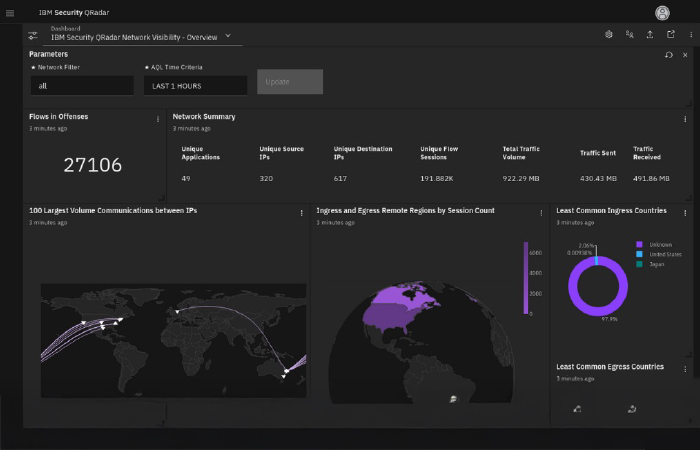
Businesses should continuously monitor their networks and conduct security audits. This detects potential spyware infections at an early stage by identifying abnormal activities.

Software and Application Control
Businesses should encourage employees to download software and applications only from trusted sources. This prevents malicious software that may contain spyware from infiltrating computers.
Strong Password and Authentication
Businesses must adopt strong password policies and use multi-factor authentication methods. This blocks unauthorized access attempts and protects the business's data.
VPN Use for the Business Network
Businesses should use a virtual private network (VPN) to provide remote access. This ensures that business data is transmitted securely and prevents unauthorized access.
Routine Security Audits
Businesses should regularly perform security audits and identify potential security vulnerabilities. This helps with the early detection of spyware and other malicious software.
Internal Communication
Businesses should ensure effective communication among employees and continuously emphasize security topics. Employees should be encouraged to report potential threats and to share security-related concerns.
Security Monitoring and Incident Management
Businesses should continuously monitor their networks and systems, detect security incidents, and respond appropriately. Effectively managing security incidents minimizes the impact of spyware attacks.
Physical Security
Businesses should implement physical security measures and protect computer systems, servers, and data centers in a secure environment. Measures such as locked doors, security cameras, alarm systems, and access controls provide protection against spyware attacks.
System Backups and Recovery
Businesses should regularly perform system backups and create recovery plans to enable rapid recovery in the event of data loss. This ensures the business's continuity in the event of data loss as a result of spyware attacks.
Business Partner and Supplier Evaluation
Businesses must be careful about security when working with business partners and suppliers. In these relationships, a thorough evaluation must be performed regarding trustworthiness and compliance with security standards.
Following Current News and Threat Reviews
Businesses should regularly follow current security news and threat reviews. This is important for learning about new spyware attacks, security vulnerabilities, and defense methods.
Spyware Reporting and Investigation
When businesses are exposed to spyware attacks, they should be reported and investigated. This is important for understanding the origin and effects of attacks and provides an opportunity to learn for future attacks.
Web Filtering
Web filtering solutions block access to harmful websites by controlling employees' internet access. These filtering solutions prevent the spread of spyware and infection of users by blocking unwanted content.
Firewall Use
A firewall is a security device that monitors incoming and outgoing traffic on your network. Businesses can protect their networks using both software and hardware firewall devices. Firewalls block unauthorized access and detect and prevent malicious traffic.
Businesses can protect their networks with an additional security layer using both software and hardware firewall devices. A software firewall is a security application that runs on the operating system and protects your computer's network connections. A hardware firewall, on the other hand, operates as a separate device and monitors network traffic.
Use of the SASE Platform
SASE (Secure Access Service Edge) is a cloud-based network and security architecture that combines security and networking services. Unlike traditional network security architectures, the SASE platform offers businesses a comprehensive and scalable security solution.
SASE brings together a wide range of security services including network connectivity, web filtering, firewall, data loss prevention, zero-trust firewall, threat intelligence, and more. By working integrally with each other, these services enable businesses to provide more effective protection against malicious software such as spyware and other threats.
Thanks to its cloud-based structure, the SASE platform enables users and devices to securely access from anywhere. It provides more flexibility for businesses and improves the user experience while strengthening security measures.
One of the advantages provided by the SASE platform is the use of advanced technologies such as artificial intelligence and machine learning for traffic analysis and threat detection. This enables businesses to detect threats in real time and respond quickly.
The SASE platform combines network and security services in a single central management point. This provides businesses with both cost and management advantages. Because they can manage network and security policies from a single console, they can achieve better control and save time.

InfinitumIT MDR+ Service: Stopping Cyber Attacks Before They Happen
The InfinitumIT Hotshot MDR team is a unit that continuously monitors and actively tracks businesses' security. Equipped with 24/7 monitoring and tracking, the team takes rapid actions on incoming alarms to neutralize cyber attacks. Instead of you worrying, the Hotshot team meticulously investigates why incoming alarms occur, their accuracy, and recommendations for resolution. With daily, weekly, and monthly analysis reports, we present your business's security status in detail. The InfinitumIT Hotshot MDR service aims to be your strongest shield in ensuring the security of your business. Join forces with InfinitumIT to protect your business and stay ahead of cyber attacks!
24/7 Monitoring
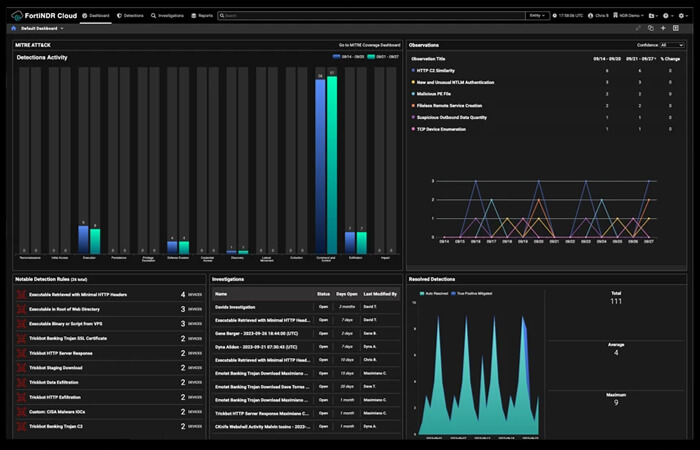
The InfinitumIT Managed Detection and Response (MDR) Service uses CrowdStrike technology to continuously monitor your network and instantly detect threats. Thus, it minimizes potential damage by responding rapidly. It provides you with a comfortable working environment and promises stability in the system 24/7.
Observability
The InfinitumIT Managed Detection and Response (MDR) Service, together with CrowdStrike technology, manages all of the inventory in your network from a single panel. In this way, immediate action is taken against potential cyber threats without losing any time. It provides instant and continuous manageability over the inventory.
Reporting
With the InfinitumIT Managed Detection and Response (MDR) Service, weekly, monthly, and daily reports are generated. Reporting on an "Incident" and "Detection" basis is an important part of our service. "Detection" and "Incident" notifications are immediately analyzed by experts in the field, and an analysis report is prepared for the institution.
Rapid Action
The InfinitumIT Managed Detection and Response (MDR) Service aims to take rapid action against cyber threats. Our team continuously receives training and uses the most current technologies and methods. Our service tracks potential threats on your network and rapidly responds to minimize potential damage.
Yes, spyware is harmful software. Spyware infiltrates computer systems or mobile devices without permission, monitors the user's activities, steals personal information, and can perform various malicious actions. Such software typically operates without users' knowledge and secretly collects data or affects the computer's performance. For this reason, it is important to prevent spyware infections and to minimize their damage.
Spy software (Spyware) is a type of software that is placed on a computer system or mobile device without the user's knowledge and that monitors the user's activities. Spy software can record the user's keystrokes, take screenshots, monitor internet browser history, steal passwords, or capture personal information. This software is typically used by malicious individuals or organizations to carry out objectives such as computer hacking or theft of personal information.
It can be difficult to determine whether there is spy software on your phone, but some signs can give you clues. Here are potential signs indicating that there is spy software on your phone:- Sudden Decrease in Battery Life: If your phone's battery is draining much faster than normal, it is possible that spy software is running in the background.- Unexpected Data Usage: If you see much more data usage on your phone than normal, you may consider the possibility that spy software is transferring data in the background.- Abnormal Device Heating: If your phone heats up more frequently and noticeably than normal, this could be due to spy software performing intensive operations in the background.- Unrelated Messages or Alerts: If you see unrelated or strange text messages, notifications, or alerts on your phone, this can be a sign that spy software is active.- Unusual Sounds or Calls: If you are hearing strange sounds, background sounds, or unauthorized calls from your phone, you may want to consider the possibility that spy software is active on your phone.
Spyware typically spreads in ways the user is unaware of. Common methods for this include malicious email attachments, fake download links, advertisements, unauthorized software, and exploiting security vulnerabilities. Users should be cautious to avoid such threats and should refrain from downloading from untrusted sources.
Spyware is designed to operate secretly on the user's computer to steal personal information, monitor browser history, record keystrokes, and perform other unwanted activities. This can lead to personal privacy violations, data loss, computer slowdowns, and the appearance of unwanted advertisements. To detect spyware, it is important to use up-to-date antivirus and anti-malware programs, to scan the system regularly, and to monitor abnormal activities.
To protect against spyware attacks, businesses must continuously stay up to date and follow the latest trends. In this regard, the Zero Trust security approach has gained popularity recently. Zero Trust is a security model in which every user and device is automatically considered untrusted, and access controls are strictly enforced. This approach aims to provide a more effective defense against threats coming from both inside and outside. Additionally, the use of technologies such as artificial intelligence and machine learning in spyware detection and prevention processes is also becoming widespread. These technologies provide faster and more precise results in detecting abnormal behaviors and identifying zero-day attacks by performing big data analysis. Finally, cloud-based security services are another important trend. These services monitor network traffic, analyze threats, and help businesses close security vulnerabilities and provide protection against cyber attacks. By following these trends, businesses can provide a stronger defense against spyware attacks.
Latest Posts