Selman Bilal Sivri — L2/L3 MDR Analyst, InfinitumIT
Introduction
In an earlier article (Trusted Process Abuse: Why Doesn't MDE See the Command Hidden Behind vmtoolsd?) I covered how the “signed parent = safe” assumption in EDRs can be abused. What was missed there was the birth of a new process; a PowerShell process started under vmtoolsd raised an alarm in no product at all.
In this article we look at a different blind spot: what happens when no new process is born at all? Classic process injection — one process writing into the memory of another, already running process and executing code/a DLL there… A technique defined as T1055 in MITRE ATT&CK, one that attackers have been using for decades. Here the most fundamental correlation source that behavioral detection relies on (the parent-child relationship) is disabled from the outset, because there is no new “child” in the picture.
We tested this in a lab environment, then validated it over a 30-day window in a real enterprise environment (thousands of endpoints) with the MDE agent deployed. The conclusion carries the same headline as our vmtoolsd finding but comes from a different mechanism: the record is there, the alarm isn't.
The Case: Classic LoadLibrary Injection
The test PowerShell script follows these steps:
notepad.exeis launched.- A
PROCESS_ALL_ACCESShandle is obtained viaOpenProcess. - A region with
PAGE_READWRITE(not execute) permission is allocated in notepad's memory viaVirtualAllocEx. - The string form of a DLL path (
C:\Windows\System32\amsi.dll— legitimate, the system's own signed DLL) is written into that region viaWriteProcessMemory. CreateRemoteThreadcallsLoadLibraryWinside notepad with that string as its parameter.
This is the technique known as “classic DLL injection”: it requires no shellcode and merely triggers the operating system's own LoadLibraryW function remotely. The critical detail is this: the memory is never marked as executable; it only carries a string parameter. In other words, it disables from the outset the “suspicious RWX memory region” heuristic that many EDRs rely on. The target DLL is not malicious either — it is the system's own signed component.
This script was run on a test machine with the MDE agent installed. Activity was visible in the timeline. No alarm/incident was generated.
Why This Is Missed: Cross-Process Memory Access Is Not Anomalous in Itself
As with the vmtoolsd article, reducing this to a single cause would be misleading here too. The telemetry we collected on the same test machine, within the same 24-hour window, showed the following:
msedgewebview2.execontinuously performsVirtualAllocEx-like remote memory operations against its own sibling render processes; this is the normal, high-volume behavior of the multi-process sandbox architecture in modern browsers.- MDE's own sensor (
SenseIR.exe) reads memory fromlsass.exe; this is the product's own credential-scan/incident-response mechanism.
So cross-process memory access, taken on its own, is already a very common and mostly legitimate class of behavior. The truly distinguishing signal is not what is done but who initiated it: there is a big difference between a browser writing into its own render process and a scripting engine (powershell.exe, cmd.exe, wscript.exe…) writing into an unrelated user application. Behavioral engines do not draw that distinction sharply enough under the default policy.
MDE Specifics: The Record Is There, the Alarm Isn't
MDE's process/memory telemetry lands in the DeviceEvents table via the ActionType field. During the test, the following ActionTypes had been recorded at full resolution, with source/target/PID/integrity level information:
NtAllocateVirtualMemoryRemoteApiCall— the equivalent ofVirtualAllocExCreateRemoteThreadApiCall— the equivalent ofCreateRemoteThreadReadProcessMemoryApiCall,NtProtectVirtualMemoryApiCall
Even more striking: during the real-environment validation, we saw MDE's own behavioral classifier label an event with the RemoteCreateThreadProcessHollowing ActionType — meaning MDE already has a name for this technique and recognizes it as “process hollowing.” Even so, the default policy does not turn this into an alarm.

T1055.001 — Dynamic-link Library Injection; even so, no alarm/incident is generated.This is another face of the same design philosophy as our vmtoolsd finding: MDE's cloud-side behavioral models treat a cross-process memory operation on its own as low-priority/noise-weighted, because (as shown above) this class of behavior has legitimate sources. Visibility is not lost; the decision is left to the customer.
Advanced Hunting Query
DeviceEvents
| where ActionType in ("CreateRemoteThreadApiCall",
    "RemoteCreateThreadProcessHollowing")
| where InitiatingProcessFileName in~ ("powershell.exe","pwsh.exe","cmd.exe",
    "wscript.exe","cscript.exe","mshta.exe","rundll32.exe")
| where isnotempty(FileName)
| project Timestamp, ReportId, DeviceId, DeviceName, ActionType,
    InitiatingProcessFileName, InitiatingProcessId, InitiatingProcessAccountName,
    InitiatingProcessCommandLine, InitiatingProcessParentFileName,
    FileName, FolderPath, ProcessId, AdditionalFields
| order by Timestamp desc
The query deliberately restricts the initiator side to scripting/interpreter engines — in order to exclude, from the outset, the legitimate noise produced by browsers and by MDE's own sensor. The condition that the target (FileName) must not be empty also filters out noise from unresolvable/protected processes.
Validation in a Real Environment: From Noise to Signal
The only way to understand whether a lab finding will work as a rule is to run it at real scale. We ran the query over a 30-day window in an enterprise environment with thousands of endpoints. The initial result returned more than 160 events, but nearly all of them came from a single source: a hardware vendor's (laptop) System Tray Icon was routinely removing its own plugin from explorer.exe every day via rundll32.exe (UnloadBatteryGaugeFromExplorer). Completely harmless — but taking the query live without tuning it proves exactly the rationale behind Microsoft's decision not to alert by default: this class of behavior is generated organically and frequently across an enterprise fleet.
After removing this vendor-specific noise from the query and excluding known security-testing infrastructure devices, a single event remained in the 30-day window. That one event was a chain arriving over a WinRM session, in which powershell.exe injected into another powershell.exe process via a dynamically compiled P/Invoke component using CreateRemoteThread, and MDE labeled it as RemoteCreateThreadProcessHollowing. This event had been sitting in the environment for months without generating a single alarm; it surfaced only retroactively, through a purpose-built query.
This single finding clearly validates the article's thesis: once the noise is tuned out, this query offers a detection surface that is both low-volume and capable of carrying real signal.
Detection Approach: Custom Detection Rule
Once the query is validated, you can turn it into a permanent rule in MDE via Custom Detection Rules > Create detection rule:
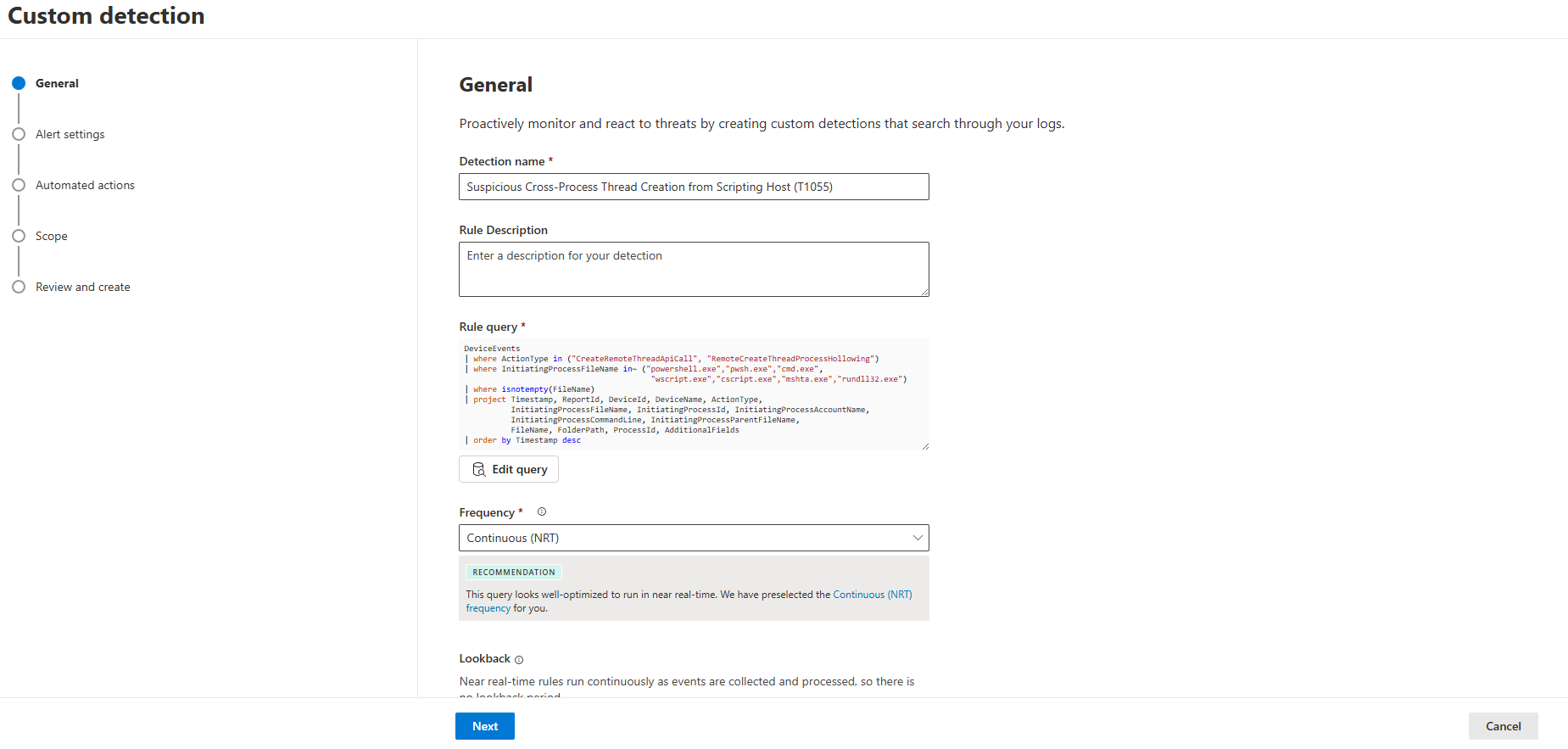
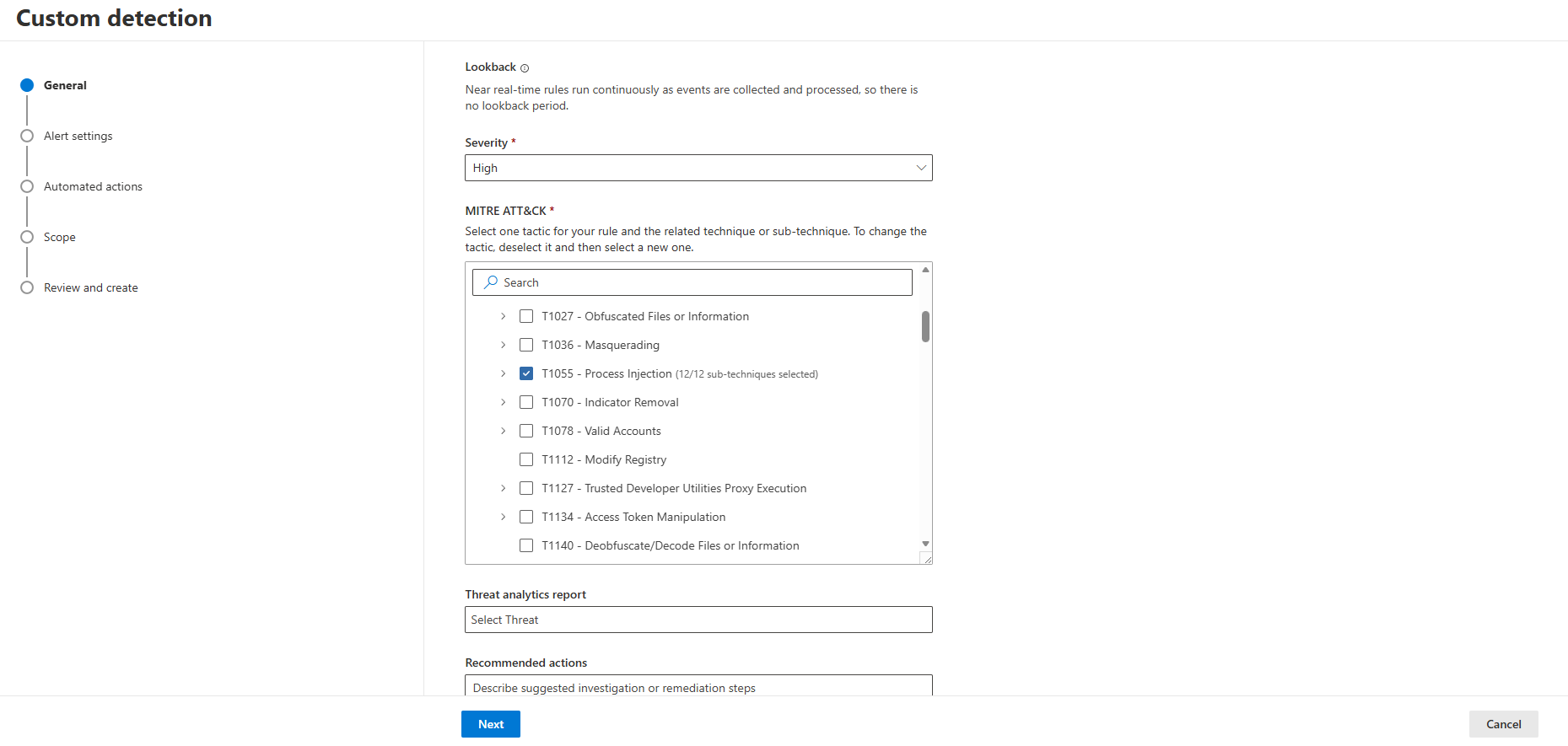
Severity: High and the T1055 — Process Injection selection on the MITRE ATT&CK side.- Detection name: Suspicious Cross-Process Thread Creation from Scripting Host (T1055)
- Rule query: the Advanced Hunting query above (excluding known-benign noise sources specific to your environment with
where not(...)) - Frequency: Continuous (NRT)
- Severity: High
- Category: Defense Evasion / Privilege Escalation
- MITRE techniques: T1055 (Process Injection), T1055.001 (Dynamic-link Library Injection), T1055.012 (Process Hollowing)
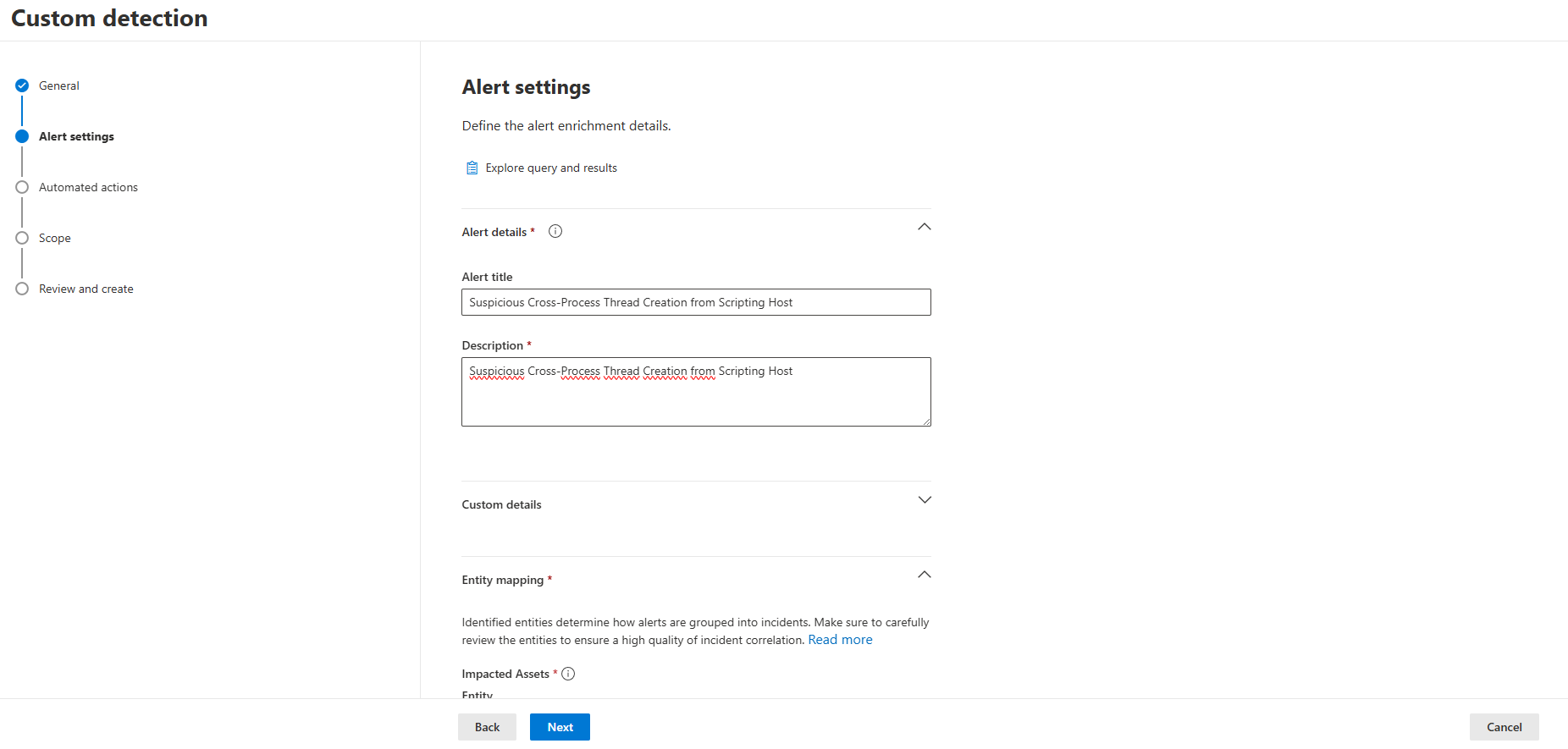
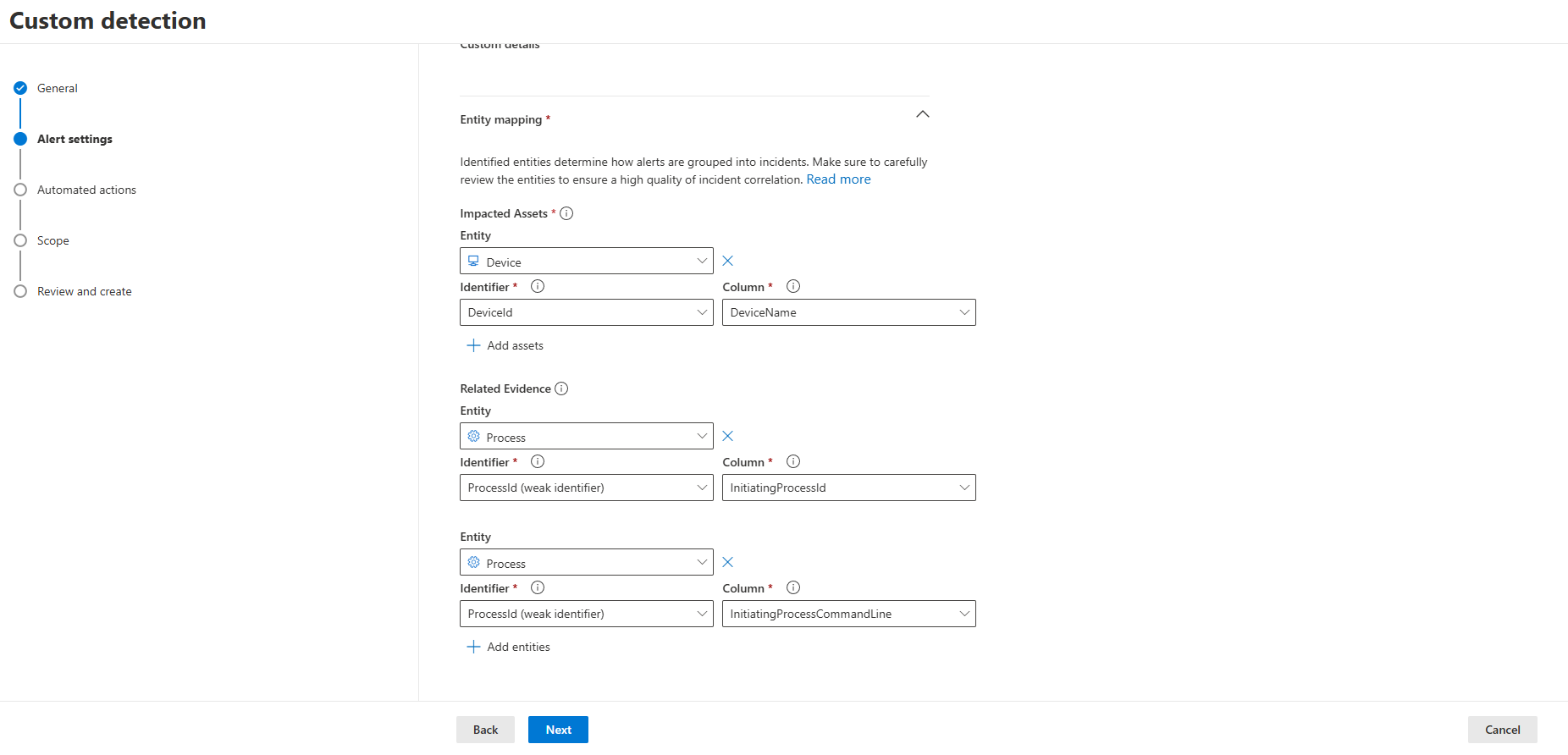
Device as the impacted asset, InitiatingProcessId and InitiatingProcessCommandLine as related evidence.- Entity mapping: Device as the impacted asset (
DeviceId/DeviceName), plus the process viaInitiatingProcessId
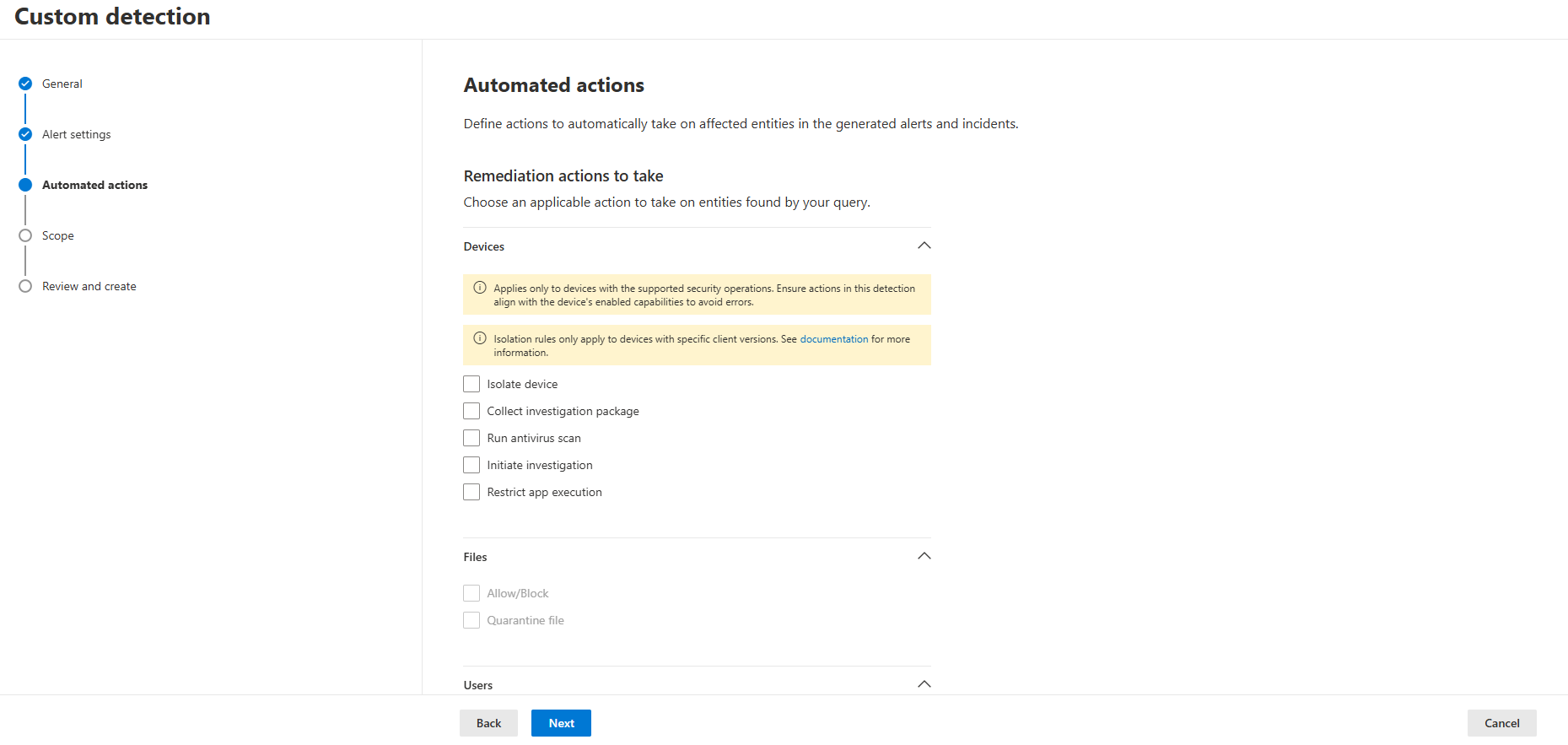
- Automated actions: We recommend not assigning an action (isolation, file quarantine, etc.) at first; first establish the noise profile in your own environment over an observation period, then add actions
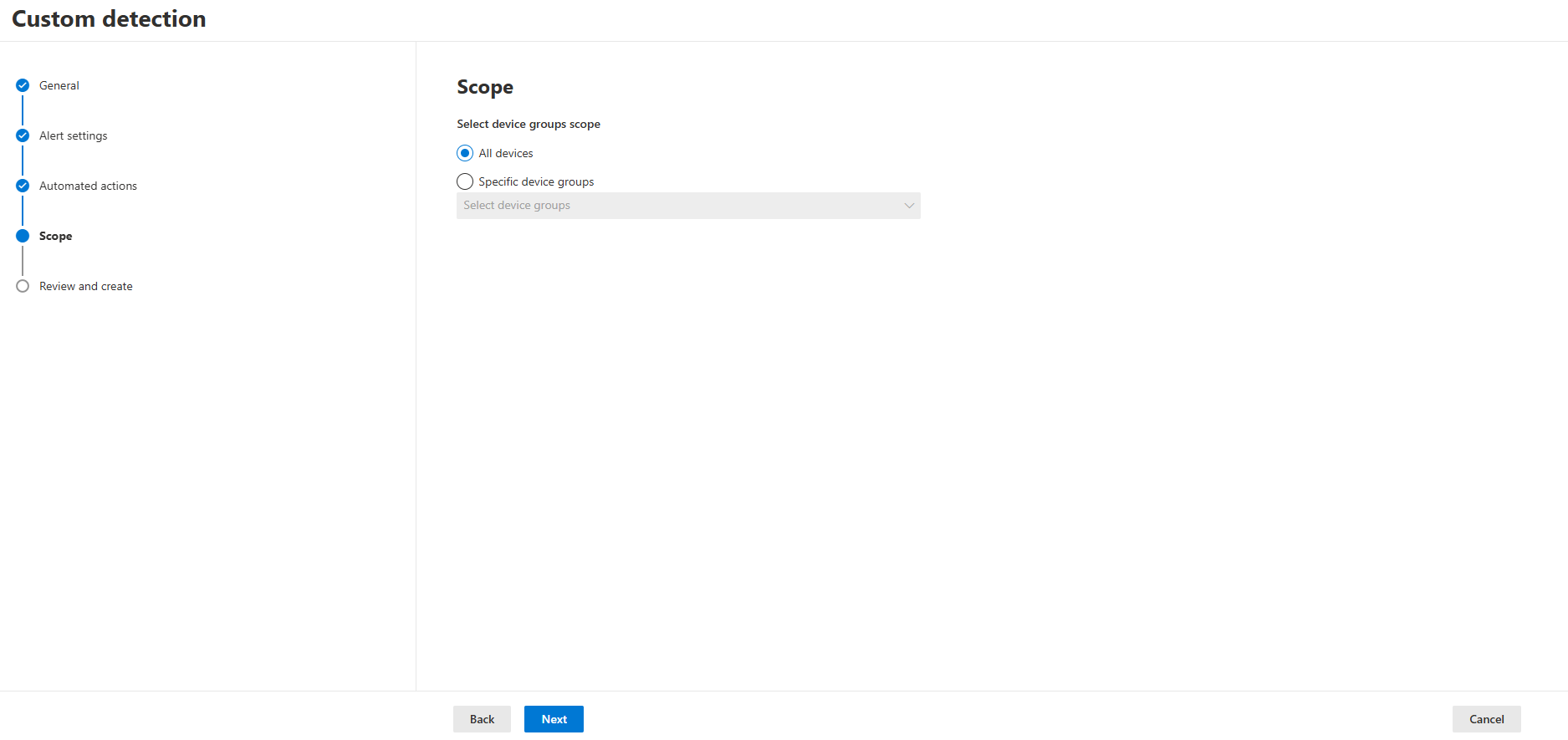
- Scope: All devices (or specific device groups according to your scope)
How Does Microsoft Address This?
The clearest place we see Microsoft's approach to process injection is in the Attack Surface Reduction (ASR) rule set: the rule “Block Office applications from injecting code into other processes” targets exactly the pattern we tested here (one process injecting code into another), but its scope is limited to Office applications only. There is no general, default-on ASR rule covering the same behavior when exhibited by general-purpose scripting engines such as PowerShell, cmd.exe or wscript.exe.
This is consistent with the vendor's philosophy: in narrow, high-confidence scenarios (Office document → macro → injection chain, a known attack path) hardening is enabled by default; for general-purpose scripting engines, where the false-positive risk is far higher, the decision is left to the customer via a custom detection rule.
Closing
Our vmtoolsd finding showed how the “signed parent = safe” assumption breaks down. This article questions a different assumption in the same product: it is not that “if there is no new process, there is no threat surface” — only the visibility layer changes. MDE records process injection at full resolution within DeviceEvents, and in some cases even names the technique (RemoteCreateThreadProcessHollowing); but it does not turn this into a default alarm, because the same class of behavior has numerous legitimate sources in enterprise environments.
As we validated at real scale, an Advanced Hunting query tuned with the right boundaries can push that noise down and surface the real signal. Whether or not to write the custom detection rule comes back to the same question here as well: turning visibility into a decision is a choice made in advance.
Selman Bilal Sivri — L2/L3 MDR Analyst, InfinitumIT
This article is based on the results of a controlled test carried out in a real Microsoft Defender for Endpoint environment and a 30-day validation performed in a large-scale enterprise environment. The organization, device and user details of the real event encountered during the validation process have not been shared for confidentiality reasons.